OPTML Coach · free during the beta
Your players' whole game. One workspace.
OPTML Coach is the web portal beside the player app. Every round, practice result and trend your players log lands in one place — and the practice you send back runs in their day, scored, with the result back in front of you.
Runs in Chrome, Safari or Edge on a computer, and in Safari on an iPad.
How it works
Three steps, and the loop runs itself.
Share your join link
A link or a QR code — on a message, a lesson-tee board, a card. A player who opens it sees who you are and joins your roster in one tap. Nothing for you to type or approve.
See the whole game
Rounds, strokes gained by area, scoring trends, practice minutes and test results — in one workspace per player. The week's read arrives every Monday.
Send practice back
A drill, a session, or a multi-week program to one player or a whole group. They run it scored; you see what was completed, what was missed, and the numbers.
What's inside
Built to be lived in, not visited.
A workspace for every player
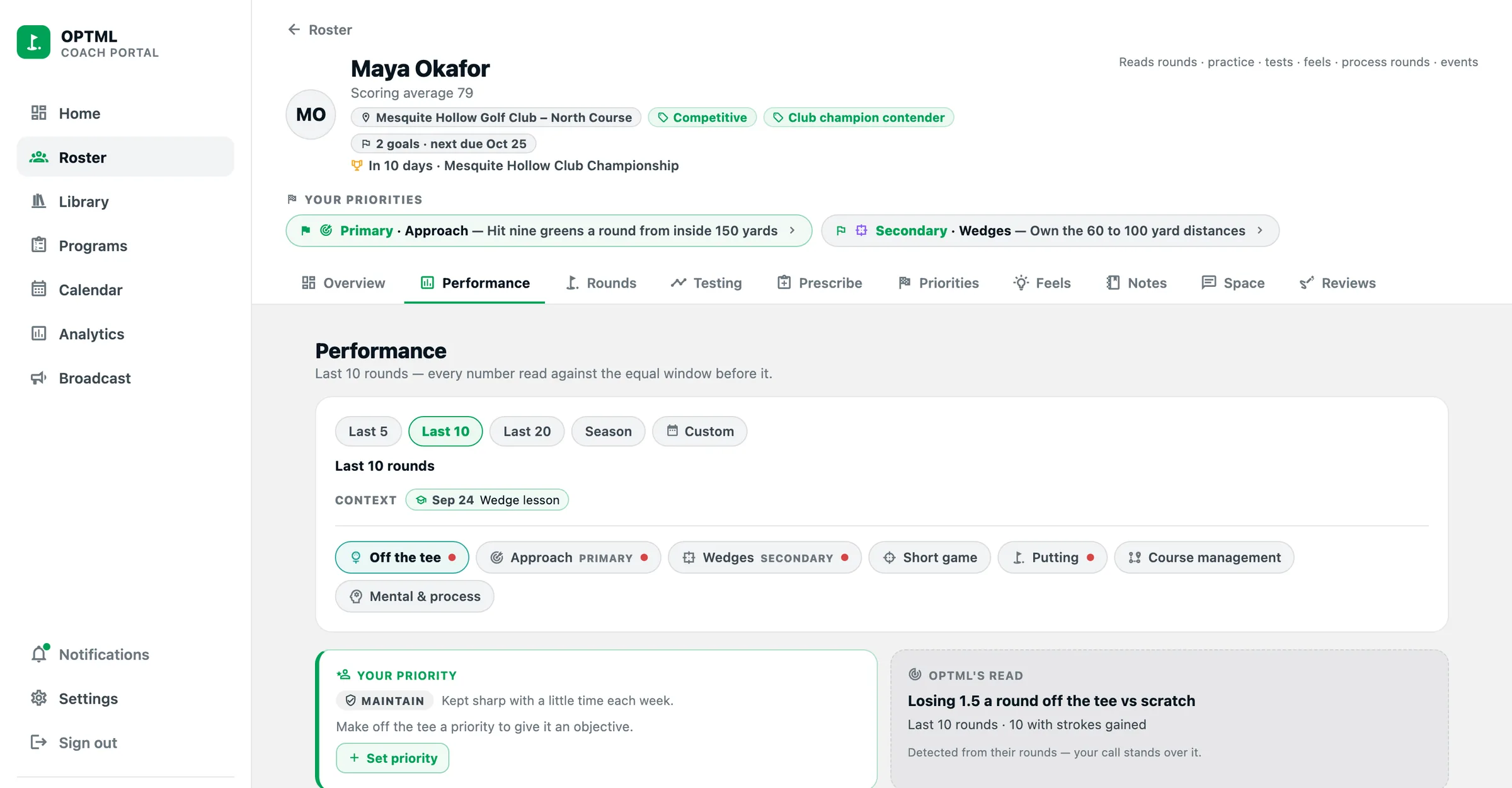
Strokes gained by area — measured or estimated, and labeled which — with every stat read against the player's own baseline, in words. Rounds hole by hole, practice and test history, goals, and the feels they've logged.
- Set a priority for each part of the game, and OPTML shapes the player's week around it.
- Private notes and lesson records, and a calendar of their events.
Your drills, your programs
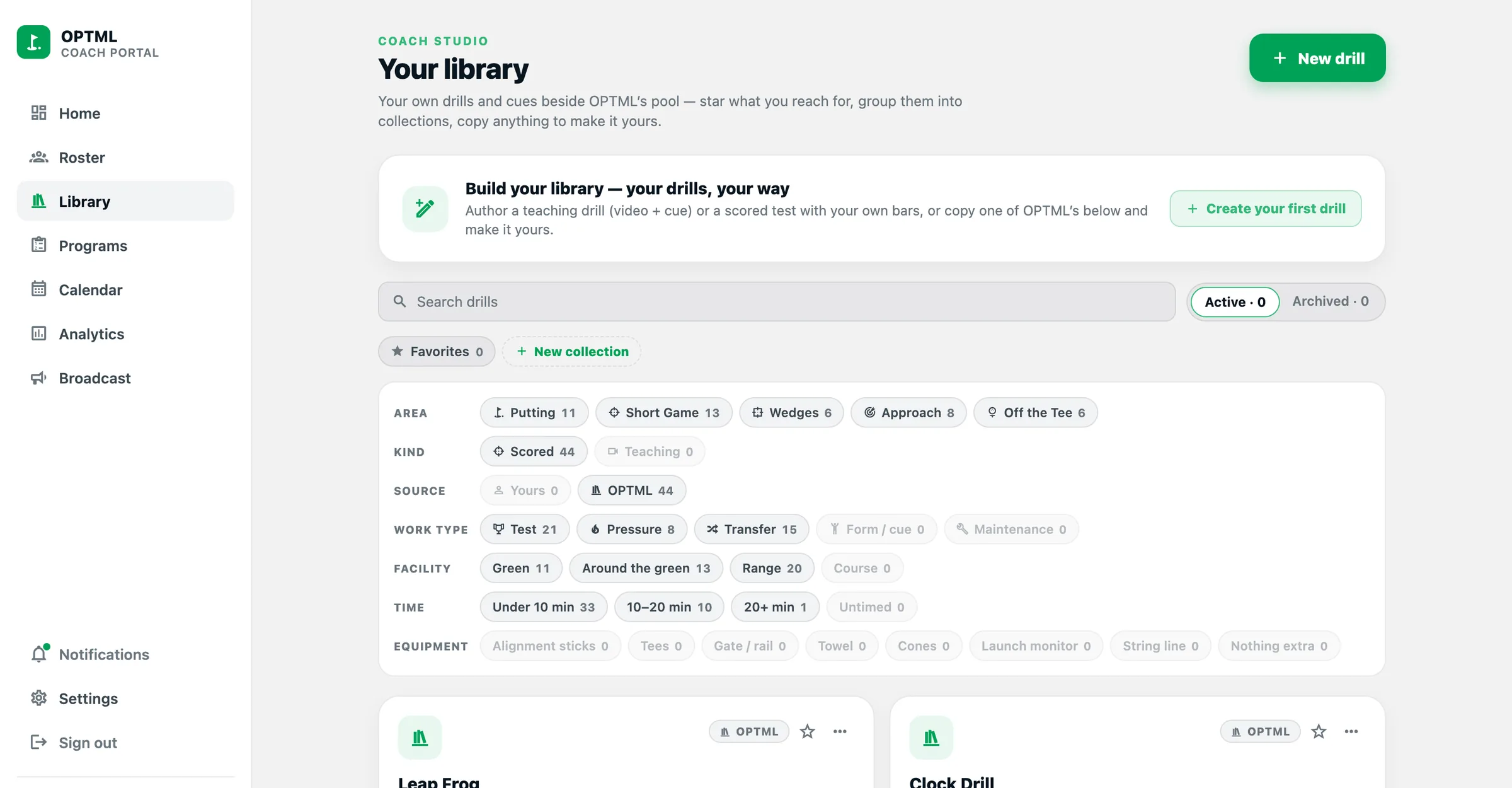
Coach Studio holds your library — teaching drills with a cue and a clip, or scored drills with a number to clear — and the named, multi-week programs you build from them once and assign to anyone.
- Start from OPTML's drills or your own, side by side.
- Every session you send tells the player it came from you.
Today home
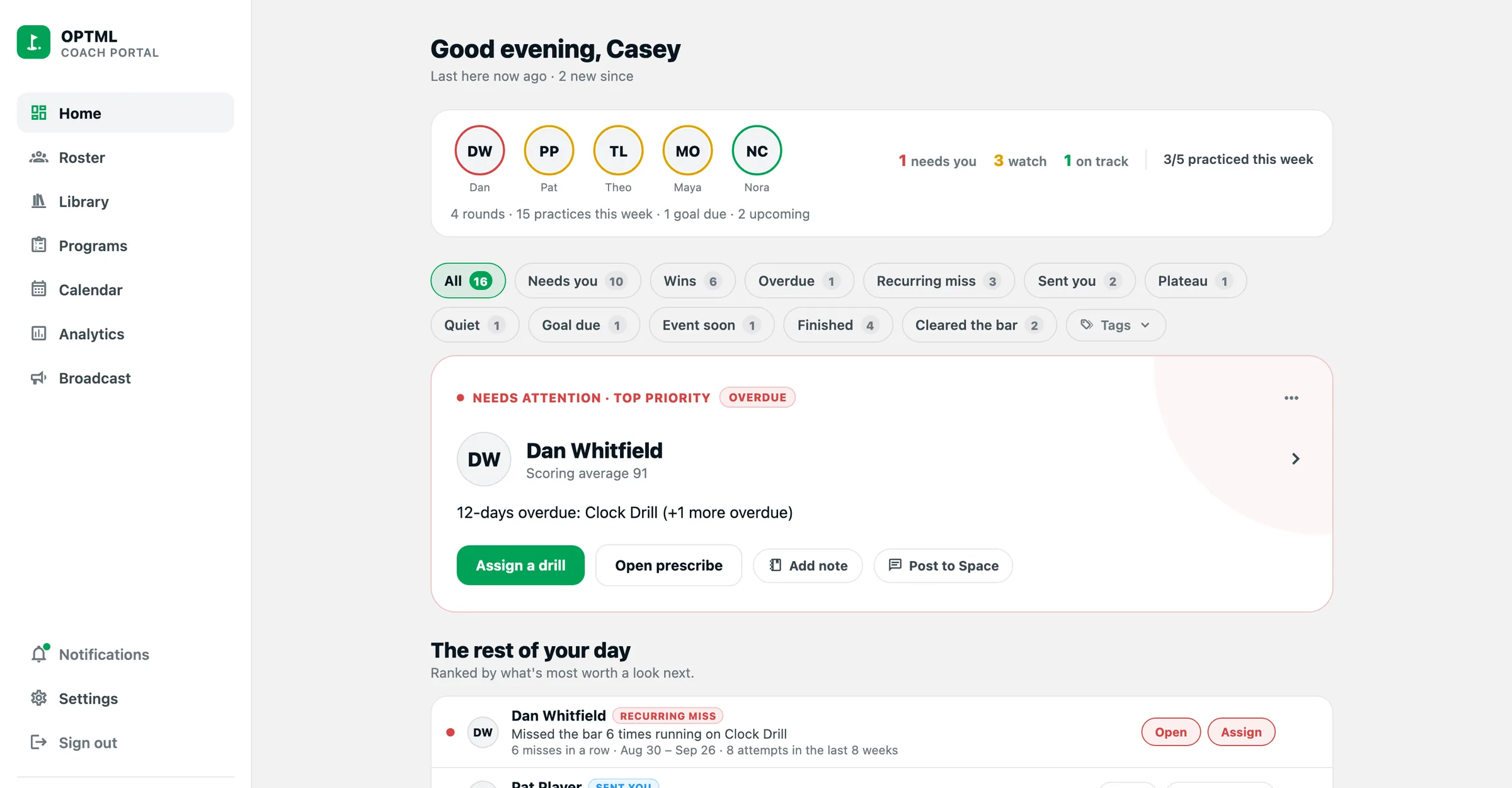
Opens on who needs you — a clip waiting for review, a session overdue, a player gone quiet, a score that swung — ranked, with the next step on the row.
Coach Space
A two-way space per player: posts, clips, comments and cheers in both directions. When a player sends you something, it's in your bell — you don't have to go looking.
Video reviews
Slow it down, scrub it, draw on it by hand — lines, angles, circles, labels — and send your read back with a recorded walkthrough. Your eye, your notes. Nothing automated.
Calendar & events
Lessons, tournaments and dated sessions across your whole roster, with a plan for tournament week attached to the event itself.
Broadcast & bulk
One message to the whole roster or a group. Select players and assign a drill, a program or a nudge in one move — each player clears their own number.
Roster analytics
Who's active, who's keeping up with what you've assigned, and the tests being run across your roster — every number with its sample size and how fresh it is.
Your call comes first
OPTML does the work around you. You make the calls.
For the player, OPTML works back from every round to what's holding them back and builds practice around it. Whatever you assign comes first, and the player always sees that it came from you.
Clips are stored and delivered, never analyzed — the review is yours, drawn by hand. And every drill you send runs as a test: the player sees the number to clear before they start, and you see how it went.
Build the game. Make it show up when it matters.
What it costs
Free during the beta.
Every feature, nothing to enter. You'll hear from us well before anything changes, and nothing is ever charged without your say-so.
Prefer a walkthrough first?
Leave your email and we'll set up a call, a demo roster, and a way in for your players.
FAQ
The questions coaches ask first.
Do my players need the app?
Yes — OPTML is an iPhone app, and everything you see comes from what your players log there. It's in a private beta for now: request a walkthrough and we'll get you and your players in.
Does OPTML analyze swings?
No. Nothing reads a video, detects a pose or tells anyone what their takeaway looks like. Clips are stored and delivered; the review is yours, drawn by hand. What OPTML does do for the player is work back from results — what the ball and the scorecard did — to what to work on, and what you assign always comes first.
Can I use my own drills?
Yes. Coach Studio holds your library — teaching drills with a cue and a clip, or scored drills with a number to clear — and the programs you build from them. Assign to one player or a group.
What can I see, exactly?
What the player logs: rounds and scores, stats and strokes gained, practice and test results, goals, the feels they've saved, process rounds, and what they share into your Coach Space. Never their email or date of birth. A player can remove you at any time, and access ends immediately.
Which browsers does it run in?
Current Chrome, Safari and Edge on a computer, and Safari on an iPad. It also opens on your phone for a quick look on the lesson tee, and you can add it to your home screen like an app.